![creoate-logo-long-1.png]](https://helpcenter.creoate.com/hs-fs/hubfs/creoate-logo-long-1.png?height=40&name=creoate-logo-long-1.png)
Shopify have updated their method of creating custom integration apps. Click here if you are following this advice after 1st Jan 2026.
https://helpcenter.creoate.com/what-is-a-shopify-token-where-do-i-find-my-shopify-token
For old apps - no action needs to be taken unless you want to update the app that we are using. Use the link above in that case.
What is a Shopify token?
In short, a Shopify token (also known as an 'Access Token' or 'API Token') is a code of around 38 letters and numbers which you can generate within your Shopify dashboard, and grants our systems access to the information they need to pull data (product information and images) from your Shopify store.
Where can I find my Shopify token?
- Log into the Admin section of your Shopify account.
- Go to Settings > App & Sales Channel > Develop App
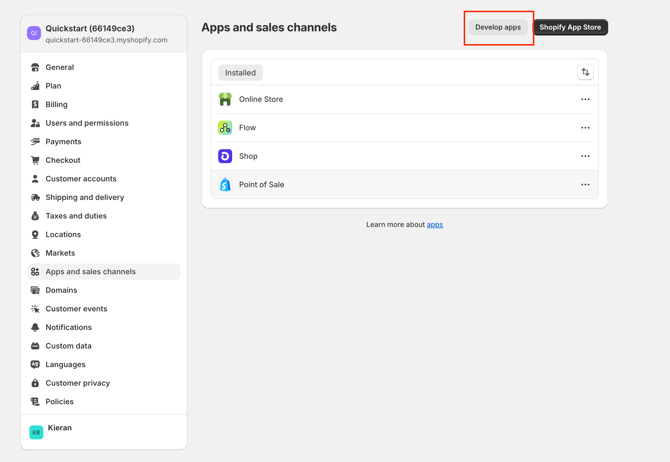
- Click on the '
 Create an App' button
 - Once created, Go to the Configuration tab and enable the following settings
Product - read & write settings
Files - read & write settings
Product Feeds - read & write settings
Product Listings - read & write settings
Inventory - read & write settings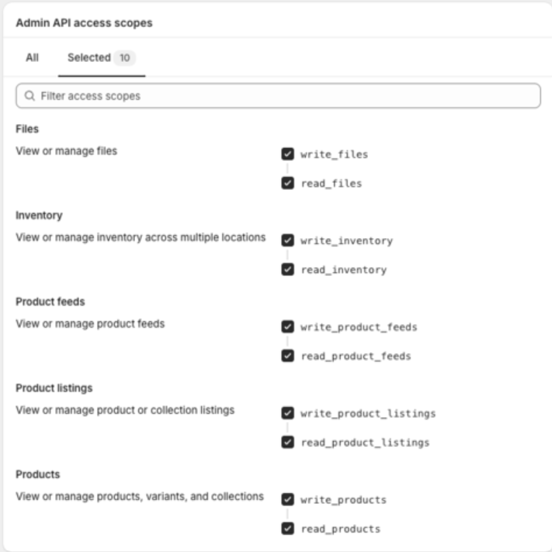
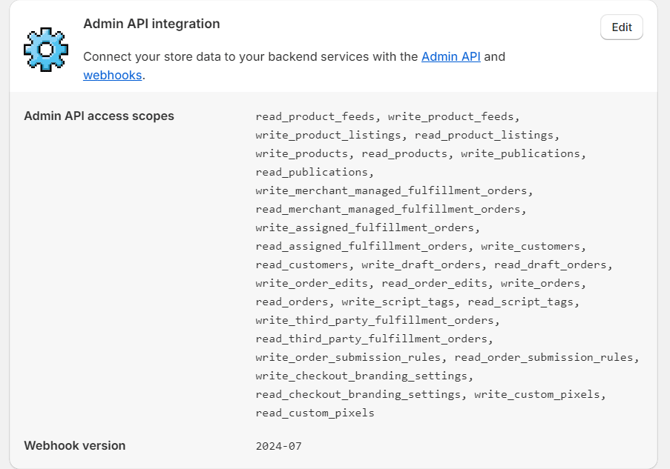
- Click on App Settings and ensure that you have ticked the following permissions:
- Head to the tab 'API Credentials'.
- Click on 'Install' in the "Access tokens" box.
- Confirm the installation by clicking on 'Install' in the window that appears.
- Now you will see your Admin API Access Token has been generated. Click on 'Reveal token once' and you will see the token.
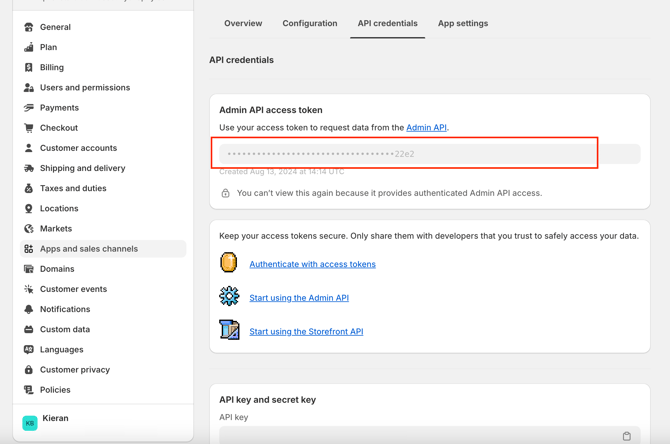
Here is a YouTube video showing you the entire process.
Watch the first 1min 30sec of the video below for a step-by-step guide to finding what you need (it's the field called 'Admin API Access Token'):
Complete the integration
Here is the related guidance article: How do I integrate CREOATE with Shopify?
I have a question regarding the Shopify sync process?
See our Shopify Sync FAQ here