![creoate-logo-long-1.png]](https://helpcenter.creoate.com/hs-fs/hubfs/creoate-logo-long-1.png?height=40&name=creoate-logo-long-1.png)
What is a Shopify Client and App?
In short, a Shopify custom app is a way to get data from your Shopify store into other systems such as Creoate.
In order to use this you will need:
1. Shop URL - this is the base URL that shopify provide when you sign up to the platform. it could look like this creoate.myshopify.com
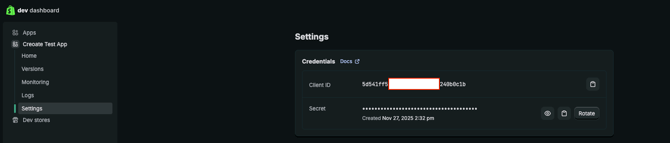
2. Client ID - Think of this like a username.
3. Client Secret - This is a permanently rotating 'password' that changes each time you need to use it.
How do I create an app?
This is the method for any apps created post 1st Jan 2026.
1. Login to Shopify and head to 'apps and sales channels'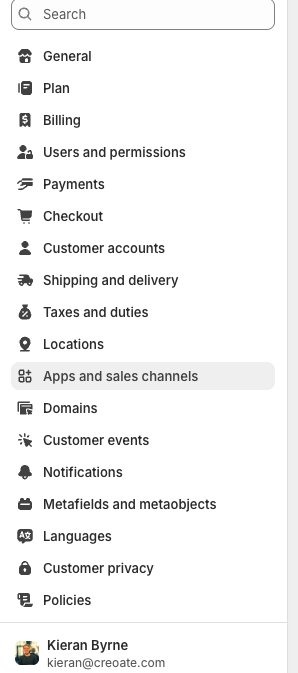
2. Click on build apps in Dev Dashboard.
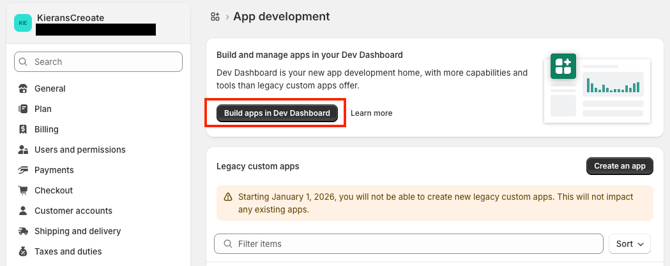
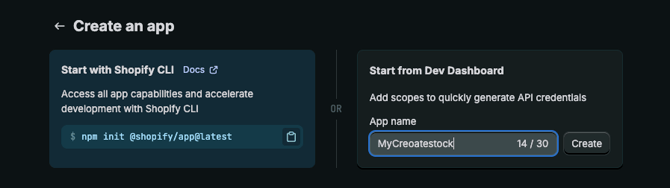
3. A new Tab will open. Click on Create an app.
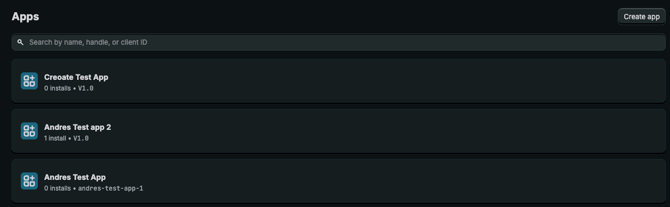
4. Give your app a name that reminds you this app syncs your catalogue into Creoate.
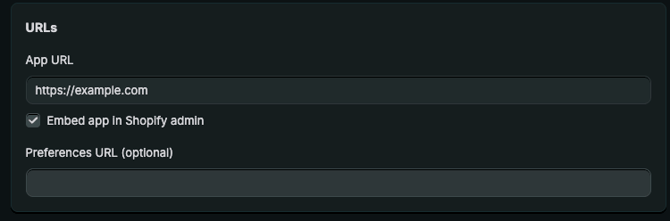
5. Record your app URL
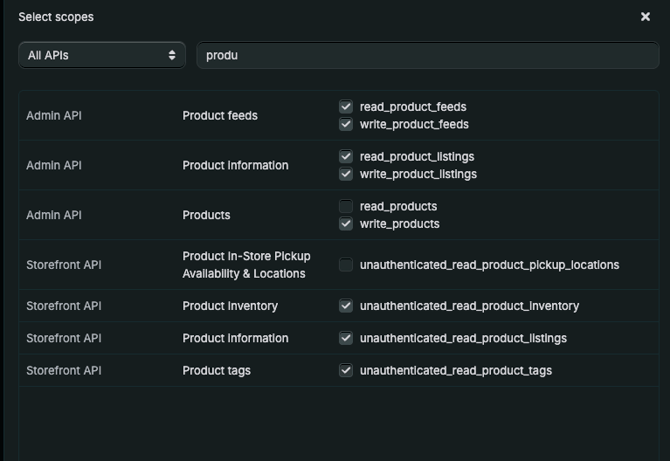
6. Provide access to all scopes with (inventory AND product) in the name
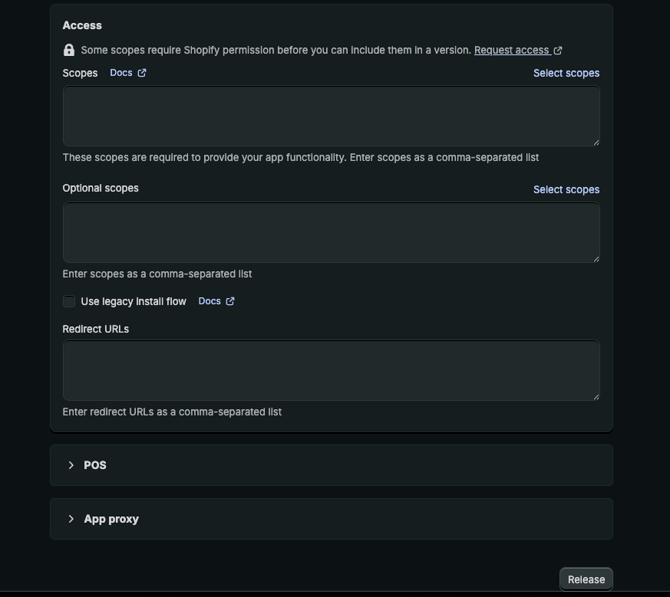
7. Click Release
Installing your app
Now you need to install the newly created app on to your shopify store.
Hit Install on your dev dashboard (See image below)
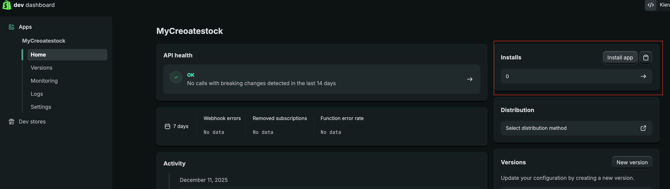
You will then be asked to enable permissions which you should do.
How do find my app credentials (Client and Client Secret)
In your Dev dashboard page where you created the app.
1. Select the relevant app on the left hand side.
2. Go to the settings tab.
3. The main body of the page will then contain both your client ID and your secret. You can reveal this by clicking on the 'eye' button on this page.
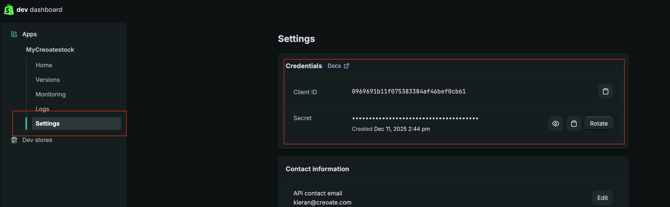
Congratulations! Your app is now ready to be used on the Creaote platform, in order to do so you will need to connect via our Creoate seller dashboard.
Use this link to find out more:
https://helpcenter.creoate.com/how-do-i-integrate-creoate-with-shopify